
Managed IT Services Houston and Sugar Land TX
October 1, 2026
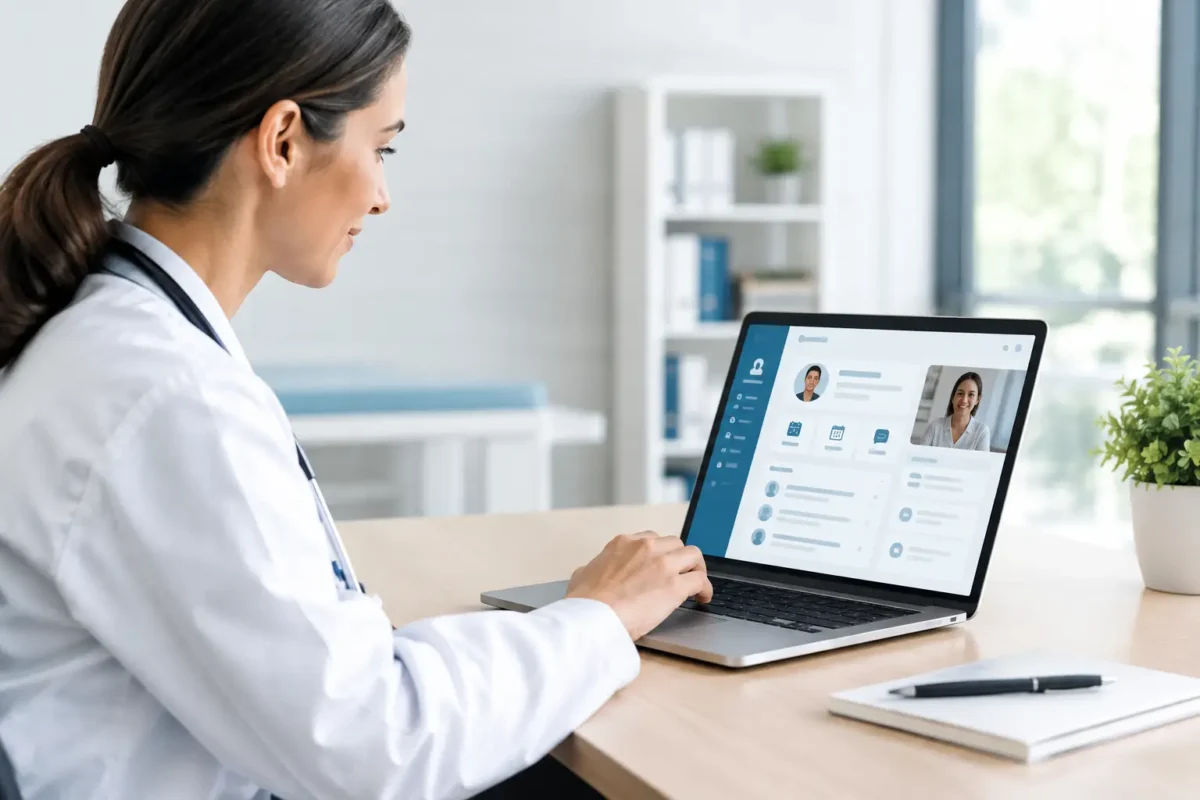
A patient calls because she cannot find her lab instructions. A front-desk employee is manually re-entering forms. A provider has three unread message threads spread across different systems. This clinic portal implementation example shows how a custom portal can turn those disconnected moments into a controlled, trackable workflow without forcing a growing practice into a generic platform.
For clinics, pharmacies, telemedicine providers, and specialty practices, a portal is not simply a patient-facing website feature. It is an operating system for access, communication, documentation, and follow-up. The value comes from designing it around the way the practice actually delivers care.
Clinic Portal Implementation Example: The Business Case
Consider a multi-provider outpatient clinic with two locations, approximately 20 staff members, and a mix of in-person and virtual appointments. The clinic used an electronic health record system for clinical documentation, a separate scheduling platform, emailed intake packets, and a shared inbox for nonclinical patient questions.
The process worked until volume increased. Missed forms delayed check-in, staff spent too much time answering routine calls, and patients had no single place to review instructions, request appointments, or send secure messages. Leadership did not need another disconnected software subscription. They needed a portal that connected the existing systems while giving patients and staff a clearer experience.
The project goals were practical: reduce manual intake work, improve appointment readiness, centralize patient communications, support virtual-care workflows, and create an auditable process for sensitive information. Just as important, the portal had to be easy enough for patients with different comfort levels using technology.
Start With Workflows, Not Screens
A common implementation mistake is starting with a list of portal pages: dashboard, profile, messages, and appointments. Those pages matter, but the better starting point is the workflow behind each patient interaction.
For this clinic, the team mapped what happens from the moment an appointment is requested through post-visit follow-up. They identified who owns each step, what data is needed, where delays occur, and which events need staff review. This exposed a critical detail: not every patient message should go to a provider. Billing questions, prescription refill requests, clinical symptoms, and appointment changes each require different routing rules.
The resulting portal was built around four core paths:
- New patients could request an appointment, complete eligibility questions, upload identification, and fill out digital intake forms before arrival.
- Existing patients could view upcoming appointments, receive preparation instructions, update contact details, and submit secure requests.
- Clinical staff could review incomplete intake items, triage messages by category, and send approved templates for common follow-ups.
- Administrators could monitor appointment readiness, message response times, form completion, and workflow bottlenecks.
This approach prevented a polished but underused portal. Every feature had a defined user, trigger, owner, and outcome.
Define what stays in the EHR
A portal should complement the EHR, not recreate it. In this example, the EHR remained the source of truth for clinical records, diagnoses, and finalized visit documentation. The portal handled patient access, structured intake, communication requests, and workflow status.
That distinction reduced duplicate data and made integration decisions clearer. For example, a completed intake form could be sent into the EHR as a reviewed document or structured data, depending on the EHR capabilities and the clinic’s operational requirements. The right method depends on how staff need to retrieve and act on that information later.
Build the Portal Around Real Patient Tasks
The patient dashboard was intentionally simple. It showed the next appointment, outstanding forms, recent messages, available documents, and a clear action for requesting help. It did not overwhelm users with medical data they did not need or create uncertainty about where to click next.
For appointment workflows, the portal pulled scheduled visits from the clinic’s scheduling system and triggered reminders based on appointment type. A new patient receiving an initial consultation had different instructions than a returning patient scheduled for a telemedicine follow-up. The portal displayed those instructions at the right time rather than relying on staff to send them manually.
Secure messaging included categories that guided patients before they started typing. A patient could choose appointment help, billing, medication refill request, or a general clinical question. Each selection applied routing and priority rules. The portal also displayed appropriate guidance for urgent concerns, because a messaging feature should never imply that it is a channel for emergency care.
Document delivery was another high-value feature. Instead of emailing sensitive attachments, staff could publish visit instructions, consent forms, invoices, or requested records to the patient account. Patients received a notification that a document was available, then authenticated to view it.
Security Must Shape the Architecture
Healthcare portal development requires more than a login page and an SSL certificate. A well-designed solution uses role-based access controls so patients, front-desk staff, billing staff, providers, and administrators see only the information and actions appropriate to their roles.
In this implementation, patients authenticated through a secure account process with identity verification steps appropriate to the clinic’s risk level. Staff access used stronger controls, including multi-factor authentication. Session controls, encrypted data transmission, audit logs, permission reviews, and secure document storage were part of the architecture from the beginning.
HIPAA compliance is not a software feature that can be added with a label. It depends on the technology, vendor relationships, policies, access practices, staff training, and ongoing risk management. If the portal handles protected health information, the clinic should review its obligations with qualified compliance and legal professionals and ensure supporting vendors can meet the necessary contractual and security requirements.
Integrations Determine the Real Cost
The visible portal may look straightforward, but integrations often drive the timeline and budget. The clinic in this example needed scheduling data, patient demographics, provider availability, document status, and selected EHR updates to move between systems reliably.
Before development began, the technical team reviewed available APIs, data formats, authentication methods, rate limits, and error-handling options. Where an API could not support real-time synchronization, the team designed scheduled updates and staff exception queues. That is less elegant than a live connection, but it can be dependable when documented and monitored.
Integration planning also identified what should not be automated. Certain requests, such as changes to sensitive contact information or records releases, required staff review. Automation reduced repetitive work, while approval steps preserved control where mistakes would carry higher risk.
Launch in Phases and Measure Adoption
The clinic did not release every feature at once. The first launch focused on account activation, appointment details, digital intake, and secure messaging. This gave staff time to learn the new processes and allowed the project team to correct confusing language, routing errors, and edge cases before adding more advanced services.
Training was specific to each role. Front-desk staff learned how to assist with account enrollment and form status. Clinical staff learned triage rules and escalation paths. Administrators learned how to review reports and adjust template content. A portal can be technically sound and still fail if employees do not know what is expected of them after a patient submits a request.
The clinic tracked form completion before appointments, portal activation rate, inbound call volume, average message response time, no-show rate, and staff time spent on manual follow-up. Not every result improved immediately. Some patients still preferred phone support, and the clinic kept that option available. The goal was not to force digital adoption. It was to make the preferred digital path more useful for patients who chose it.
What This Example Teaches Growing Practices
A successful portal project is usually less about adding more features and more about removing friction from high-frequency tasks. A small specialty clinic may need a focused intake and messaging portal. A multi-location organization may need location-aware scheduling, centralized reporting, and deeper integrations. The appropriate scope depends on patient volume, service lines, current systems, and internal staffing.
Custom development is especially valuable when a clinic has workflows that generic portal products cannot support, when integrations require careful control, or when the patient experience is part of the practice’s competitive position. It also requires disciplined planning, realistic testing, and a long-term owner for support and improvements.
For Houston-area and nationwide healthcare organizations, AdonisTechs can help translate operational needs into a secure, custom-built portal roadmap. The most useful next step is to document one high-friction patient workflow in detail. That single workflow often reveals where a portal can produce the fastest, most measurable improvement.