Portal Versus Mobile App: Which Fits Your Business?
October 7, 2026

A customer trying to book an appointment, approve an invoice, refill a prescription, or check a delivery status does not care which technology sits behind the screen. They care that it loads quickly, protects their data, and works when they need it. That is why the native versus web apps decision should start with business operations and user expectations, not a preference for a particular platform.
For a startup, clinic, service company, or growing enterprise, the wrong choice can create unnecessary development costs or limit a product just as adoption begins to increase. The right choice creates a dependable system that supports revenue, internal efficiency, and future growth.
Native versus web apps: the core difference
A native app is developed specifically for a mobile operating system, such as iOS or Android. Users typically download it from the Apple App Store or Google Play. Native apps can communicate directly with phone capabilities, including the camera, GPS, biometric login, Bluetooth, contacts, and push notifications.
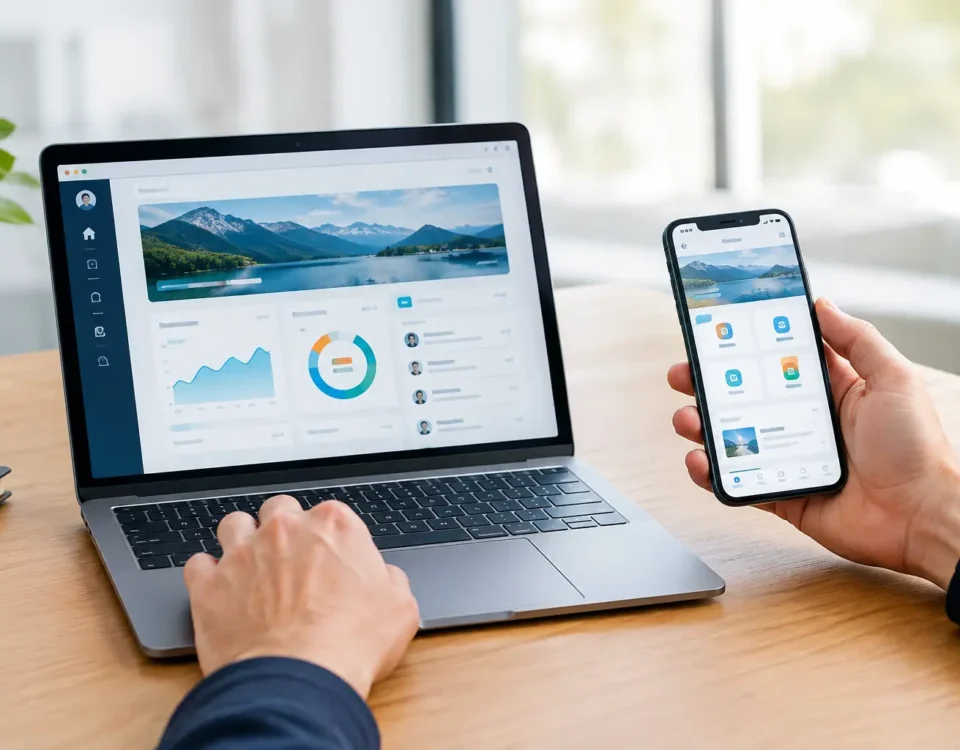
A web app runs in a browser. It can look and behave much like a mobile app, but users access it through a URL rather than installing it through an app store. Modern web applications can support secure logins, dashboards, forms, scheduling, payments, portals, and many other business functions across desktops, tablets, and smartphones.
The distinction matters because these products are built, released, maintained, and discovered differently. A native app often offers the strongest device-level experience. A web app usually gives a business faster deployment, broader immediate reach, and a clearer path to search visibility.
When a native app is the better business investment
Native development makes sense when the mobile device itself is central to the service. A field service platform that captures photos, scans barcodes, tracks live location, and works in areas with inconsistent connectivity may benefit from native functionality. The same applies to fitness applications that rely on wearable devices, logistics tools that require background GPS activity, and consumer products where frequent push notifications drive engagement.
Performance is another reason to consider native. High-frame-rate games, real-time video editing, complex augmented reality features, and graphics-heavy interfaces can benefit from direct access to the operating system and device hardware. Native apps can also provide a polished experience that feels familiar to users of each platform.
For regulated organizations, native is not automatically more secure, but it can support tightly controlled workflows when it is designed correctly. Biometric authentication, encrypted local storage, device permissions, and mobile device management can be valuable for certain healthcare, pharmacy, and enterprise use cases. Security still depends on architecture, access controls, encryption, testing, and ongoing maintenance. The app format alone does not make a system compliant.
The trade-off is cost and operational complexity. iOS and Android have different requirements, and a fully native product may need separate development efforts for each platform. Every release must pass through app-store review processes. Businesses also need a plan for operating system updates, device compatibility, crash monitoring, and ongoing feature releases.
When a web app is the stronger choice
A web app is often the practical choice for a business portal, customer dashboard, internal CRM, scheduling system, SaaS platform, or custom operational tool. Employees and customers can open it from virtually any modern browser without installing anything. That lowers friction, especially when users access the system occasionally or work from both desktop and mobile devices.
Web apps are particularly effective when a business needs to launch efficiently and improve the platform based on real user behavior. A single deployment can make an update available to all users immediately. There is no waiting for app-store approval and no need to persuade users to download the newest version.
Search visibility is also a significant advantage when public-facing content is part of the growth strategy. A web-based platform can be supported by indexable service pages, location pages, educational content, and conversion-focused landing pages. A native app, by itself, is largely invisible to conventional search engines. For Houston businesses competing for local leads, that difference can affect how prospects first discover the company.
A well-built web app is not a basic website with a login screen. It can include role-based access, secure client portals, electronic forms, payment processing, reporting, workflow automation, API integrations, and real-time data. With responsive design and thoughtful interface planning, the same product can serve office users on a large monitor and customers using a phone in a parking lot.
Web apps have limits, however. Some hardware features and background processes are less reliable or more restricted in a browser. Offline functionality is possible in selected cases, but it requires careful planning and testing. If your product depends on intensive device integration or constant background activity, a browser-first approach may introduce compromises that users will notice.
Compare the costs beyond the initial build
The initial quote is only one part of the native versus web apps calculation. Decision-makers should evaluate the total cost of ownership over several years.
A native app may require two codebases, two release pipelines, app-store management, and platform-specific quality assurance. Those costs can be justified if the product earns revenue through repeat mobile use or requires capabilities that browsers cannot reliably deliver.
A web app can often consolidate development around one central application and one release process. That can reduce the cost of expanding features, correcting issues, and supporting users. It also lets a business validate an idea before investing in a more specialized mobile experience.
The right comparison should include the cost of integrations, cloud infrastructure, data migration, user training, support, security monitoring, and future enhancements. A low-cost build that cannot connect to your accounting platform, EHR, inventory system, or payment processor can become expensive very quickly.
Start with the workflow, not the format
A useful technology decision begins by mapping what users must accomplish. Ask whether the primary users are customers, field teams, clinicians, managers, or a mix of audiences. Consider where they work, which devices they use, how often they return, and what happens if they lose connectivity.
Four conditions typically point toward a native app:
- The product relies heavily on GPS, camera tools, Bluetooth, biometrics, wearables, or other device hardware.
- Users need dependable offline access or background processing.
- Engagement depends on frequent mobile use and push notifications.
- The experience requires exceptional graphics performance or platform-specific interactions.
A web app is usually the better starting point when users need cross-device access, the system is content or workflow driven, speed to market matters, or organic search is part of customer acquisition. It is also a strong fit for secure portals, internal systems, booking platforms, and B2B software where desktop use remains common.
The hybrid path can reduce risk
The decision is not always strictly native or web. Many successful products begin as responsive web applications, then add a native mobile app after user behavior proves there is a real need. This approach can preserve budget for the features that create business value before expanding into multiple mobile platforms.
Another option is a progressive web app, often called a PWA. A PWA can offer app-like screens, home-screen installation, and selected offline capabilities through a browser-based product. It can be a useful middle ground, but it should not be presented as a substitute for native functionality in every situation. Browser support, notification behavior, and hardware access vary by operating system.
There are also cross-platform frameworks that allow teams to build for iOS and Android from a shared codebase. These can reduce duplication, but they still require careful testing and may not be ideal for every highly specialized mobile feature. The best architecture depends on what the system must do, not on which approach is currently popular.
Plan security and scalability from day one
Whether you choose native or web, the platform should be designed around secure identity management, least-privilege access, data encryption, backups, audit trails, and tested recovery procedures. Healthcare and other regulated businesses should also evaluate their specific compliance obligations before development begins. Retrofitting permissions, reporting, or data protections after launch is slower and more costly.
Scalability deserves the same attention. A system that works for ten users may fail under the demands of ten thousand. Clear data architecture, well-documented integrations, performance testing, and a maintainable codebase give a business room to grow without replacing its platform prematurely.
The best next step is to define the highest-value user workflow and build around it with discipline. If your customers need fast, searchable access to a service or portal, a high-performance web app may move the business forward sooner. If your teams depend on the phone’s hardware to deliver the service itself, native development may be worth the added investment. The strongest choice is the one that removes friction from the work your business needs to do next.