
SEO for Healthcare Providers That Builds Trust
August 31, 2026
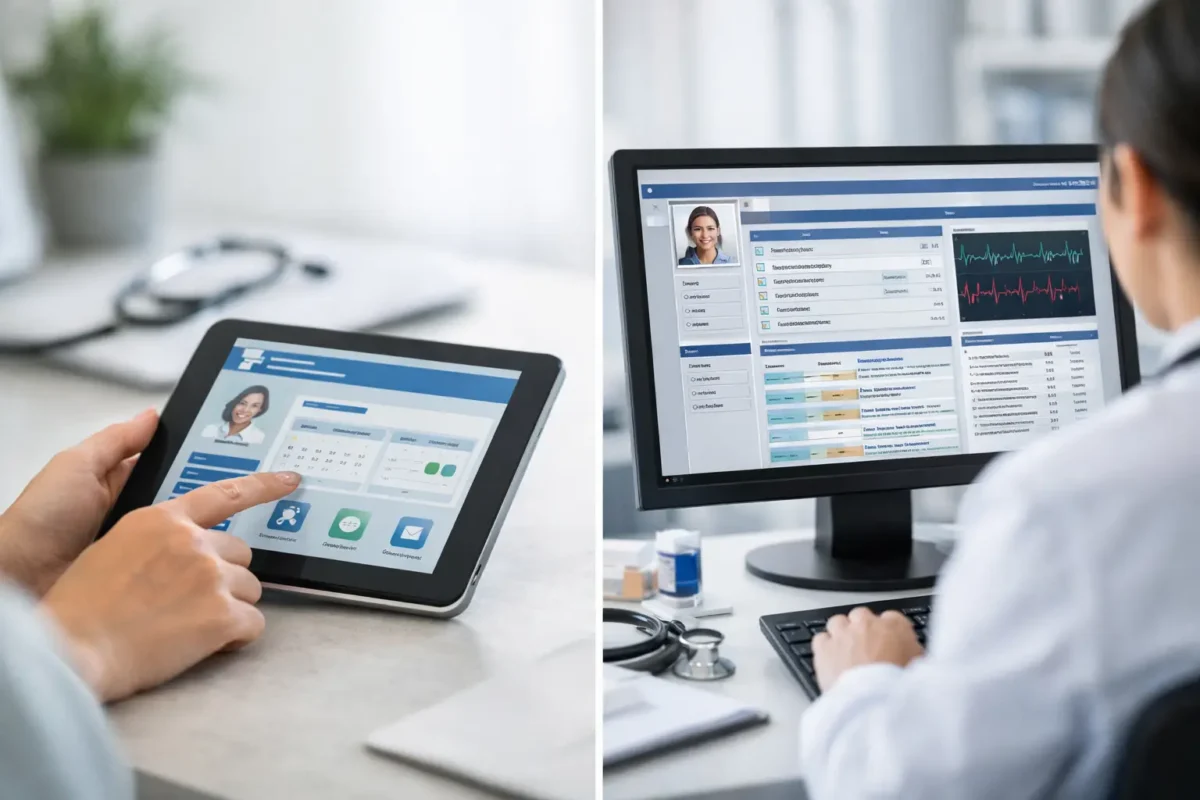
A patient who cannot find a lab result, request a refill, or send a non-urgent question without calling the front desk creates avoidable work for the entire practice. That is where the patient portal vs EMR conversation becomes practical. These systems are related, but they serve different users, solve different operational problems, and require different decisions around workflow, security, and integration.
For clinics, pharmacies, telemedicine providers, and specialty practices, understanding the distinction prevents a common mistake: treating a patient-facing portal as if it were the clinical system of record, or expecting an EMR alone to provide a strong digital patient experience.
Patient Portal vs EMR: The Core Difference
An electronic medical record, or EMR, is primarily a clinical operations system. It stores and organizes medical information used by providers and staff within a practice or healthcare organization. Depending on the platform, it may include patient demographics, visit notes, diagnoses, medication lists, allergies, orders, lab results, scheduling information, billing data, and clinical documentation tools.
A patient portal is a secure digital access point for patients. It gives patients limited, role-based visibility into selected information and services connected to their care. A portal may let a patient review visit summaries, view results after release, request appointments or prescription refills, complete forms, pay balances, receive reminders, or communicate with their care team.
The simplest way to frame the difference is this: the EMR supports care delivery and internal recordkeeping; the patient portal supports patient access and engagement. The portal often draws data from the EMR, but it should not be confused with the EMR itself.
What an EMR Is Built to Do
An EMR is designed around the daily work of clinicians and administrative teams. Its central purpose is to make patient information available in a structured format that supports documentation, treatment decisions, coordination, claims, and reporting.
A well-configured EMR can reduce duplicate records, standardize clinical workflows, and provide an auditable history of patient interactions. It may also connect with laboratories, imaging centers, e-prescribing systems, billing platforms, and other healthcare tools. These capabilities are essential, but they are largely internal-facing.
EMRs also carry significant implementation responsibility. A practice needs clear decisions about user roles, templates, data migration, training, workflow changes, retention requirements, and vendor support. An EMR with too many unused fields can slow staff down. One with inflexible templates can force providers into documentation habits that do not match the way they practice.
It also matters that the terms EMR and EHR are often used interchangeably in everyday conversations. Technically, an EHR is generally intended to support broader information sharing across organizations, while an EMR historically refers to a record used within a single practice. In a purchasing or development decision, the product’s actual interoperability, data ownership, and integration capabilities matter more than the label on the sales page.
What a Patient Portal Is Built to Do
A patient portal should reduce friction before, during, and after an appointment. It provides a controlled, convenient channel for routine actions that otherwise consume phone lines and staff time.
For example, a portal can allow a patient to complete intake paperwork before arriving, confirm demographic information, view an after-visit summary, receive a secure message, or pay an outstanding balance. For a telemedicine provider, it can also serve as the authenticated starting point for consent forms, appointment instructions, and virtual care access.
The benefit is not simply convenience. A well-designed portal can improve data quality, shorten registration tasks, reduce missed appointments, and give patients clearer visibility into their care. Staff can spend less time responding to repetitive status requests and more time handling situations that require judgment.
Still, a portal is not automatically effective because it exists. If account setup is confusing, the mobile experience is weak, results are released without helpful context, or messages go unanswered, adoption will suffer. Patient experience is part of operational design, not a cosmetic add-on.
Where the Systems Work Together
The strongest patient-facing experience usually comes from a portal that connects reliably to the EMR and related systems. When the connection is properly planned, information can move between the right users without asking patients or staff to re-enter the same data repeatedly.
Consider a new patient appointment. The portal can collect registration details, insurance information, consent acknowledgments, medical history, and preferred communication methods. The EMR can then receive and organize that information for staff review. After the visit, the EMR can provide approved information back to the portal, such as the visit summary, selected results, follow-up instructions, or a refill status.
That workflow sounds straightforward, but integration is where many projects become difficult. Healthcare data may be stored across an EMR, practice management system, billing platform, pharmacy system, lab interface, scheduling tool, and telehealth application. Each platform may have different application programming interfaces, data fields, permissions, and update schedules.
A portal should be designed around the information patients actually need, not around every data field available in the clinical database. Giving patients access to the wrong information at the wrong time can create confusion and increase support volume. Practices need rules for result release, message routing, proxy access for caregivers, record corrections, and clinical escalation.
Security and Compliance Require More Than a Login Screen
Both an EMR and a patient portal handle protected health information, so security cannot be treated as a final launch checklist. The right approach includes role-based access, strong authentication, encrypted data transmission, secure session management, audit logs, vendor due diligence, backup procedures, and documented incident-response processes.
A patient portal needs special attention because it extends access beyond the clinic’s internal network. Patients may use shared devices, weak passwords, public Wi-Fi, or an outdated mobile browser. Features such as multi-factor authentication, account recovery controls, automatic session timeouts, and clear identity-verification procedures can materially reduce risk.
Healthcare organizations must also understand that software alone does not make an operation compliant. Compliance depends on the technology, how it is configured, how staff use it, contractual arrangements with vendors, and the policies governing access and disclosure. Before implementation, organizations should involve qualified legal, privacy, and security professionals who understand their specific obligations.
Choosing Between a Built-In or Custom Patient Portal
Many EMR vendors provide a built-in portal. For some practices, this is the right choice because it can launch faster, reduce integration work, and provide a single vendor relationship. It is often practical when the clinic needs standard functions such as appointment requests, basic messaging, forms, and result viewing.
The trade-off is flexibility. Built-in portals may offer limited branding, rigid workflows, restricted integrations, or a patient experience that does not reflect the service model of a specialty practice. A med spa, multi-location clinic, pharmacy, behavioral health provider, or telemedicine business may need capabilities that go beyond a standard EMR portal.
A custom portal can address those needs by providing tailored onboarding, location-specific services, digital intake logic, memberships, payment workflows, care-program dashboards, pharmacy communications, or connections to several back-office platforms. Custom development also makes sense when a business wants to control the user experience and create a scalable platform rather than depend entirely on a vendor’s feature roadmap.
Custom does not always mean better. It requires a clear scope, experienced healthcare development, ongoing maintenance, and a realistic integration plan. The best option depends on the complexity of the patient journey, the limitations of the existing EMR, the required growth path, and the organization’s ability to support the platform after launch.
Questions to Ask Before You Invest
Decision-makers should start with workflow rather than features. Which patient requests create the most calls? Where do staff re-enter data? What information must patients access, and when? Which services must connect to the portal? Answers to these questions define whether a standard portal is sufficient or whether a custom solution will produce a stronger return.
It is also worth asking who owns the data, what happens if the EMR vendor changes, how integrations are documented, whether the portal supports accessible mobile use, and how message response times will be managed. A portal can generate more patient communication, which is valuable only when the organization has clear ownership and response protocols.
For healthcare organizations planning a custom platform, AdonisTechs helps translate operational requirements into secure, scalable portal and software solutions built around real workflows. The objective is not to add another disconnected tool. It is to create technology that supports staff efficiency, patient trust, and measurable business growth.
The right choice in a patient portal vs EMR decision is rarely an either-or decision. Build the clinical foundation your team needs, then give patients a clear and secure way to participate in their care. When both systems are designed around the same workflow, technology becomes less of a barrier and more of a practical extension of your service.