
Choosing a Patient Portal Development Company
July 3, 2026
Best Healthcare Management Software Guide
July 5, 2026
A front desk phone rings less when patients can check lab results, request refills, sign forms, and send non-urgent questions on their own time. That is the practical value behind a portal, and it is usually the first thing clinic owners want to know when asking, how does patient portal work?
At its core, a patient portal is a secure online system connected to a healthcare provider’s records platform. It gives patients controlled access to parts of their medical information and allows them to complete common tasks without calling the office. For providers, the portal reduces administrative load, improves communication, and creates a more organized digital workflow. For patients, it offers convenience, visibility, and faster access to information that used to require a phone call or a paper form.
How does patient portal work in practice?
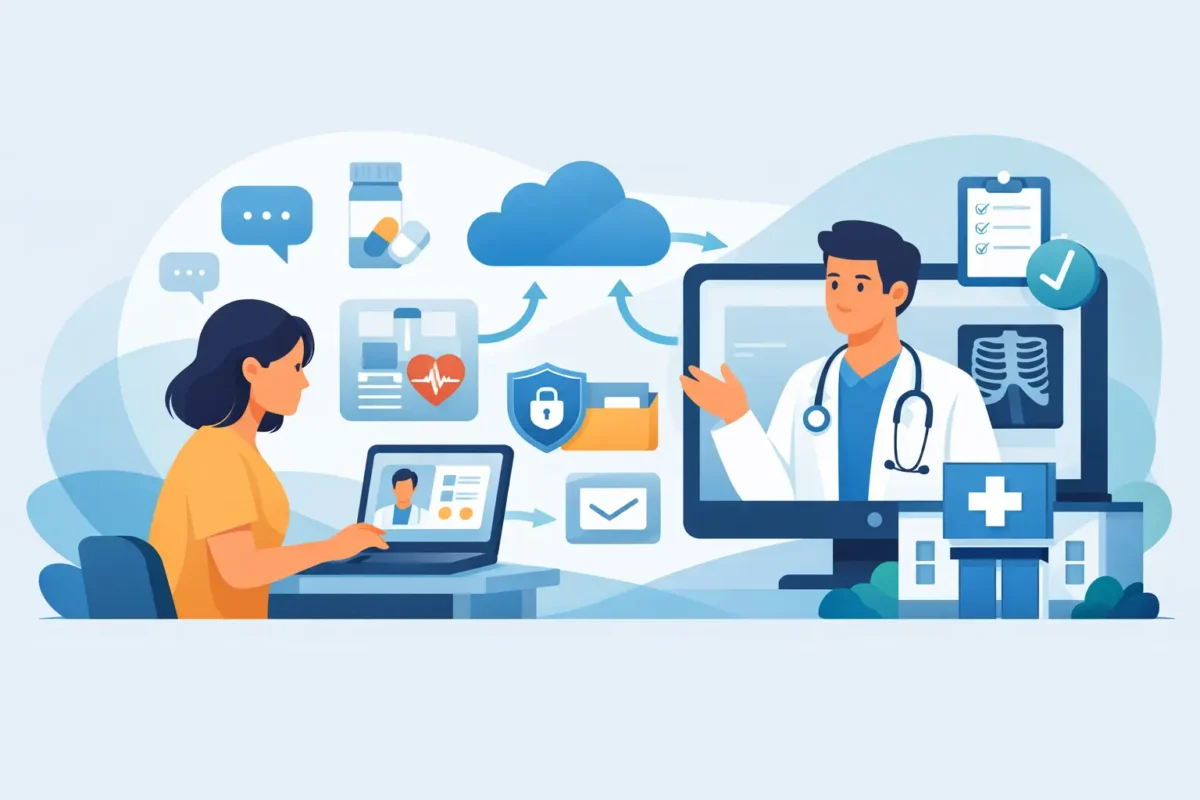
A patient portal works by sitting on top of a provider’s healthcare software, usually an electronic health record system or a custom healthcare platform. When a patient is invited to join, they create a secure account, verify their identity, and log in through a web browser or mobile app. Once inside, they only see the information and actions their provider has chosen to make available.
The portal does not typically expose the entire internal system. It acts more like a controlled access layer. A patient may be able to view appointments, read visit summaries, pay invoices, update contact details, complete intake forms, and exchange secure messages with the care team. Behind the scenes, the portal pulls data from connected systems and sends updates back when the patient submits information.
That connection matters. A portal is useful only when it reflects real clinic operations. If appointment requests do not sync to scheduling, or forms do not flow into the chart, staff end up doing duplicate work. That is why implementation quality matters as much as the portal interface itself.
The main parts of a patient portal
Most portals include a small set of core functions. The first is secure authentication. Patients must prove who they are before they can access protected health information. This usually involves email verification, password creation, and often multi-factor authentication.
The second is record access. Patients can view items such as diagnoses, medications, allergies, lab results, immunization history, and post-visit summaries. Some providers release everything automatically after review, while others control timing based on clinical workflow.
The third is communication. Secure messaging allows patients to ask non-emergency questions, request prescription renewals, or follow up after visits. This is not the same as texting. Messages are encrypted, stored, and tied to the patient record when configured correctly.
The fourth is self-service administration. That includes appointment requests, digital registration, consent forms, insurance updates, and online bill pay. These functions often create the fastest return because they reduce repetitive front-desk work.
What happens from signup to daily use
The typical workflow starts when a clinic sends an invitation by email or text after registration or the first appointment. The patient clicks the invite, verifies basic details, sets login credentials, and agrees to the portal terms. Some systems also require a code provided in person to reduce fraud risk.
After login, the dashboard usually shows upcoming appointments, recent documents, messages, balances, and notifications. If the patient needs to update forms before a visit, they can do it there. If a lab result is ready, they may receive an alert. If they owe a copay or invoice balance, they can pay online.
On the provider side, staff define what patients can access and how requests are handled. For example, a refill request may route to nursing staff, then to a prescribing provider. An appointment request may go to scheduling for approval rather than booking automatically. The best portal setup reflects how the clinic already works, while removing bottlenecks where possible.
Security is the foundation, not a feature
Healthcare organizations cannot treat portal security as optional. A patient portal handles protected health information, so access controls, encryption, session management, audit logs, and role-based permissions are basic requirements.
That said, stronger security creates trade-offs. More verification steps help reduce unauthorized access, but they can also frustrate patients who are less comfortable with technology. A good portal balances compliance with usability. If security is too light, risk rises. If it is too complicated, adoption drops and staff end up back on the phone helping patients log in.
This is one reason custom portal development can make sense for healthcare organizations with specific workflows, branding needs, or integration requirements. A generic tool may cover basic messaging and appointments, but clinics with telemedicine, pharmacy management, specialty care, or multi-location operations often need tighter control over permissions, data flow, and patient experience.
Why clinics use patient portals
For most practices, the portal is not just a convenience tool. It affects operations, patient satisfaction, and revenue cycle performance.
When patients complete forms before arrival, check balances online, and receive reminders digitally, staff spend less time on repetitive administrative tasks. When secure messages replace some non-urgent phone calls, communication becomes easier to track. When patients can view instructions after a visit, they are less likely to miss follow-up details.
There is also a business case. A well-implemented portal can reduce no-shows through reminders, speed up intake, improve payment collection, and support retention by making the patient experience easier. Those gains depend on setup, though. A portal that is hard to use or poorly integrated can create more confusion than value.
Common features patients expect now
Patient expectations have changed. Many now assume they can handle routine healthcare interactions online the same way they manage banking or travel. That does not mean every portal needs every feature, but a few capabilities have become standard.
Patients typically expect appointment visibility, online forms, access to test results, prescription request options, billing access, and secure messaging. In some specialties, they may also expect telehealth entry points, treatment plans, educational materials, and document uploads.
This is where many healthcare organizations run into a gap. Their core medical system may support portal access, but the experience may feel outdated, inconsistent, or disconnected from the brand. A stronger digital experience can improve adoption, especially for competitive practices trying to modernize patient engagement.
Where portals often fall short
Not every portal implementation works well. Some systems are technically available but rarely used because patients do not understand the benefit. Others have weak mobile usability, confusing navigation, or slow message routing that makes communication worse instead of better.
There are also workflow issues. If providers are overwhelmed by message volume, response times slip. If lab results are posted without context, patients may become anxious before staff can explain them. If online scheduling is too open, appointment quality can suffer because the wrong visit types get booked.
This is why patient portals need rules, not just software. Clinics need clear decisions on what gets released automatically, who handles inbound messages, what turnaround time is realistic, and when portal use should be redirected to a call or visit. Technology helps, but process design is what keeps it effective.
How to evaluate the right patient portal approach
If you are deciding whether to use a built-in portal or develop a custom solution, the answer depends on your organization’s complexity. A small practice with straightforward scheduling and messaging may do fine with the standard option included in its EHR. A growing healthcare organization may need more.
The key questions are operational. Does the portal integrate cleanly with scheduling, billing, forms, and records? Can it support your compliance and security requirements? Does it match how your team handles communication? Can patients actually use it without support calls? And can it scale if your services expand?
For organizations in regulated healthcare environments, especially those managing telemedicine, multi-provider coordination, or specialized patient journeys, custom development often becomes less about preference and more about fit. A portal should support the business model, not force the business into software limitations.
At AdonisTechs, this is where healthcare-focused portal development becomes practical. The goal is not to add another tool. It is to build a secure, usable system that fits the way the organization operates and improves how patients interact with care.
How does patient portal work when it is done well?
When a patient portal is done well, patients use it without needing instructions every time. Staff trust the data flow. Messages go to the right team members. Forms reach the chart. Payments post correctly. Patients feel informed instead of blocked by the system.
That is the real answer to how does patient portal work. It works by connecting secure access, clinical data, and everyday administrative tasks into one controlled digital experience. The software matters, but the bigger factor is whether the portal is aligned with the provider’s workflow, compliance needs, and patient expectations.
If your organization is considering a portal, think beyond login screens and feature lists. The better question is whether the system will save staff time, reduce friction for patients, and support long-term growth. That is where the right build starts to pay off.